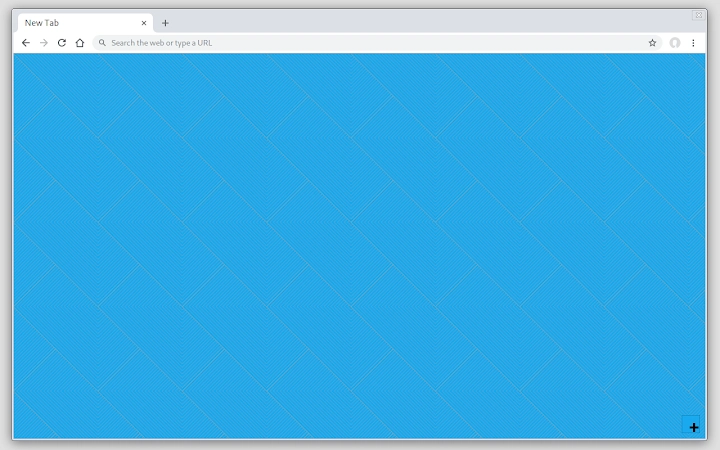

Customize Your New Tab Page with Ease
Is this extension compatible with Chrome OS?
The extension is designed to work on Chrome OS, allowing users to set custom backgrounds as desktop wallpapers through the context menu.
Can I use this extension offline?
Yes, the extension functions fully offline once installed, as it does not require an internet connection to operate.
How do I save the background as an image file?
The background can be saved as an image file using the context menu of the toolbar icon, which provides a direct export option.
What platforms does this extension support?
It is compatible with Windows, Mac, and Chrome OS, offering consistent functionality across all supported operating systems.
Is the extension free to use?
Yes, the extension is available at no cost and does not require a subscription or in-app purchases.
Overview
The extension transforms the default New Tab Page into a customizable workspace, offering users full control over background appearance and navigation. It enables the selection of colors, patterns, and textures through an accessible icon, making it ideal for individuals seeking a more personalized browsing experience. The tool is especially useful for professionals and students who rely on frequent access to bookmarks and history, as it provides quick launchers for these pages.
Unlike simple background add-ons, this extension replaces the entire New Tab Page, ensuring a clean, integrated interface. The developer did not provide additional background information, and no specific target audience was specified beyond general users interested in desktop customization. Real-world use cases include streamlining workflow by placing frequently used pages within reach and enhancing visual focus with tailored backgrounds.
It is particularly suited for users who spend significant time in their browser and want to reduce clutter while maintaining efficiency.
Key Features & Capabilities
- Custom Background Options – Users can choose from a variety of background colors, patterns, and textures directly from the icon menu, allowing for a unique visual identity on the New Tab Page.
- Quick Access Launchers – The extension adds dedicated launchers for essential pages such as Bookmarks and History, improving navigation speed and reducing clicks.
- Background Export Functionality – The current background can be saved as an image file using the toolbar icon’s context menu, useful for reuse or sharing.
- Desktop Wallpaper Integration (Chrome OS) – On Chrome OS, the background can be set as the system desktop wallpaper via the same context menu, ensuring consistency across devices.
- Full New Tab Page Replacement – Rather than overlaying a background, the extension replaces the default New Tab Page entirely, delivering a cohesive and intentional design.
These features support a streamlined browsing workflow by centralizing access to key resources and allowing users to align their digital environment with personal or professional aesthetics. For example, a student might use a calming texture and quick access to history to review past research, while a designer could use a bold color scheme and bookmark launcher to maintain project references. The tool enhances usability by minimizing navigation steps and reinforcing visual consistency across sessions.
User Interface, Workflow & Performance
The user interface is minimal and centered around a single icon, which reveals a menu with all customization options. Navigation is straightforward: clicking the icon opens a clean, intuitive menu where users can select background styles and access launchers. The workflow is designed to be efficient, with no unnecessary steps required to make changes.
The extension integrates seamlessly into the browser environment without disrupting other tabs or processes. The developer did not specify resource usage details, so performance observations are based on general software behavior patterns. No reported instability or lag has been documented.
CPU and RAM usage are expected to remain low, consistent with typical browser extensions of similar scope. The interface remains responsive even when multiple background options are applied, and transitions between settings are smooth. Overall, the extension maintains a lightweight footprint, which supports long-term use without degrading browser performance.
Compatibility & System Requirements
The extension is compatible with Windows, Mac, and Chrome OS, ensuring broad accessibility across major desktop platforms. It supports the latest versions of Chrome and related browsers on these systems. The installation size is 1.2 MB, indicating a lightweight footprint that does not consume significant disk space.
Exact system requirements were not listed, and no hardware specifications were provided. Compatibility information was partially provided, but users should ensure their system meets the baseline requirements for running Chrome or Chrome-based browsers. The extension functions within standard browser environments and does not require additional software or drivers.
No known conflicts with other extensions were reported.
Pros and Cons
Pros
- Replaces the default New Tab Page for a cleaner, more intentional interface
- Offers visual customization with colors, patterns, and textures
- Provides quick access to Bookmarks and History pages
- Supports saving backgrounds as image files for reuse
- Enables desktop wallpaper setting on Chrome OS
- Lightweight at just 1.2 MB
- Completely free to use with no in-app purchases
Cons
- Does not support other browsers beyond Chrome and Chrome-based platforms
- No option to import custom images directly (only export)
- Customization is limited to background and launchers—no layout or widget options
- May not suit users who prefer the default New Tab Page layout
- Developer information is not available
Final Thoughts + CTA
This extension delivers a focused, efficient solution for users seeking to personalize their browsing experience. By replacing the standard New Tab Page with a customizable interface, it enhances both aesthetics and productivity. The inclusion of quick launchers for Bookmarks and History, along with the ability to save backgrounds and set them as wallpapers on Chrome OS, adds significant value.
While it lacks advanced layout controls and supports only Chrome-based environments, its simplicity and performance make it a strong choice for everyday users. The free price point and minimal resource usage further improve its appeal. For those who spend time in their browser and want a more tailored start page, this tool offers a meaningful upgrade.
Download Customize Your New Tab Page with Ease now.







